Finding your favorite Disney characters is like a high-stakes game of hide-and-seek, but with better outfits and a lot more hugging. Whether you’re hunting for a high-five from Mickey or trying to negotiate with Kylo Ren, the Disneyland App is your secret weapon.
Here is your friendly guide to mastering the “Character Hunt” like a pro.
To download the Disneyland app, check out your app store or here from the Disneyland Site:

https://disneyland.disney.go.com/guest-services/download-disneyland-mobile-app
🏰 Finding Magic: The “How-To” Guide
Forget wandering aimlessly! The app provides a real-time map of who is out and where they’re hanging out.
1. The Map Trick
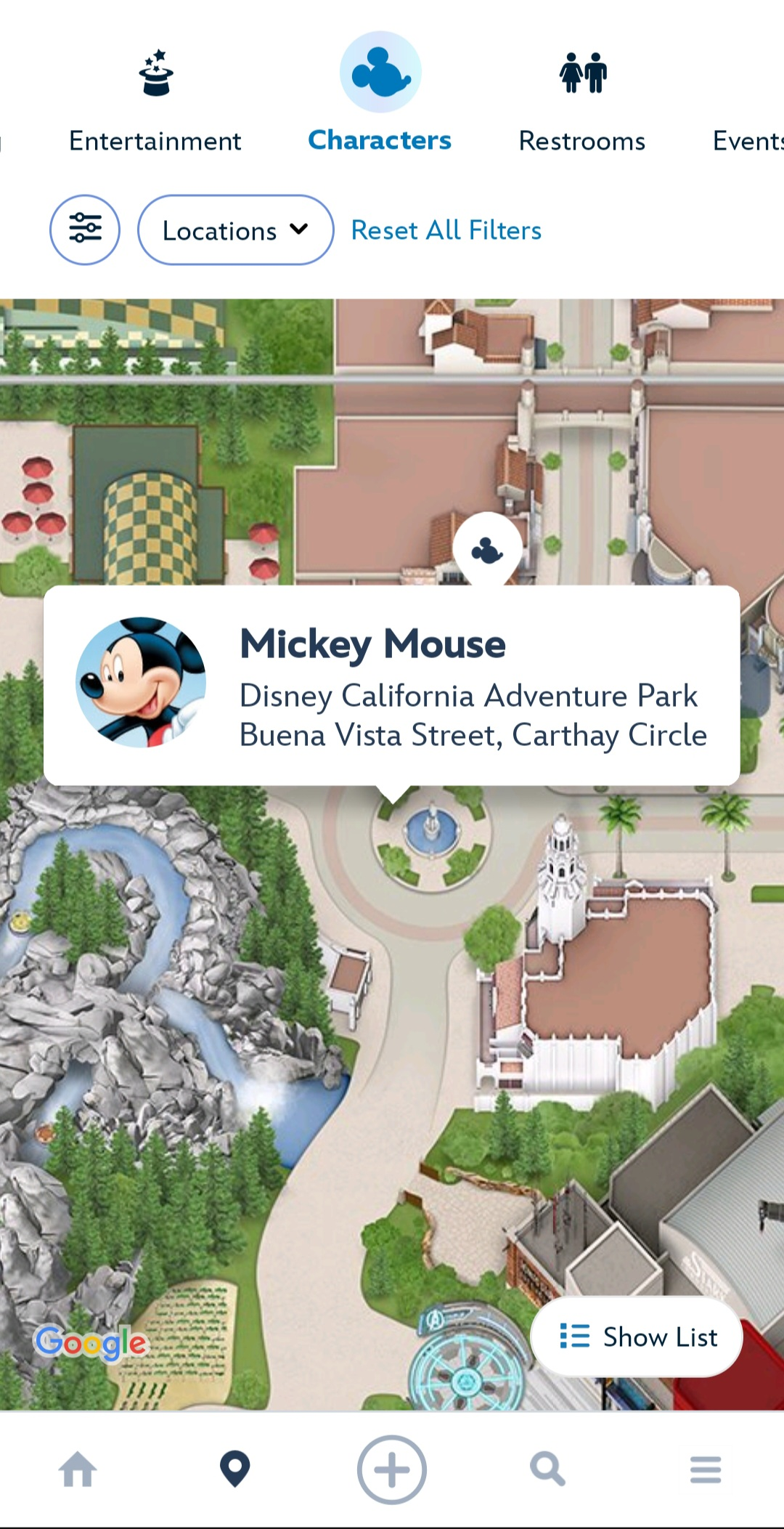
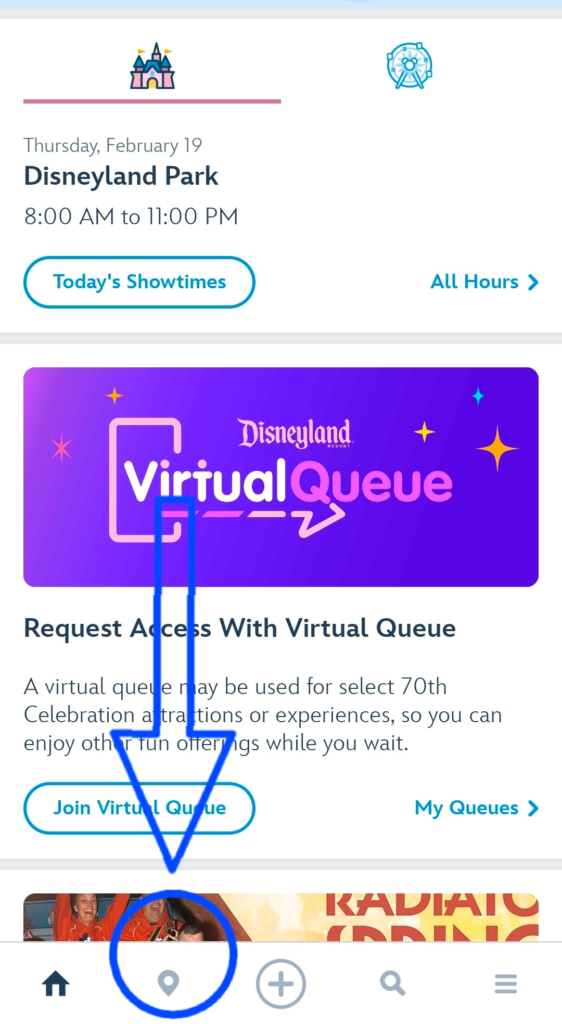
- Open the App: Tap the pin drop icon (the second icon from the left at the bottom).
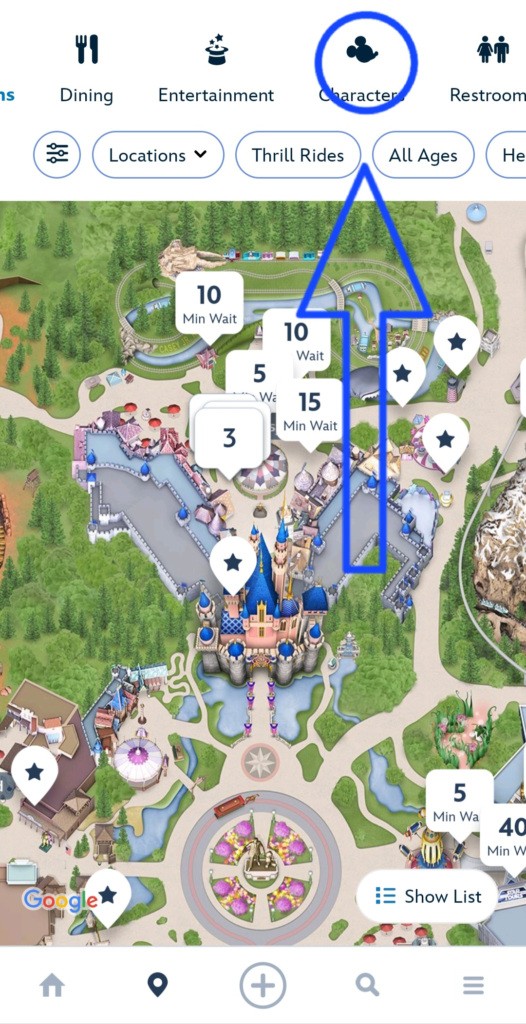
- Change the Category: At the top of the map, you’ll see a drop-down menu that usually defaults to “Attractions.” Tap it and select Characters.
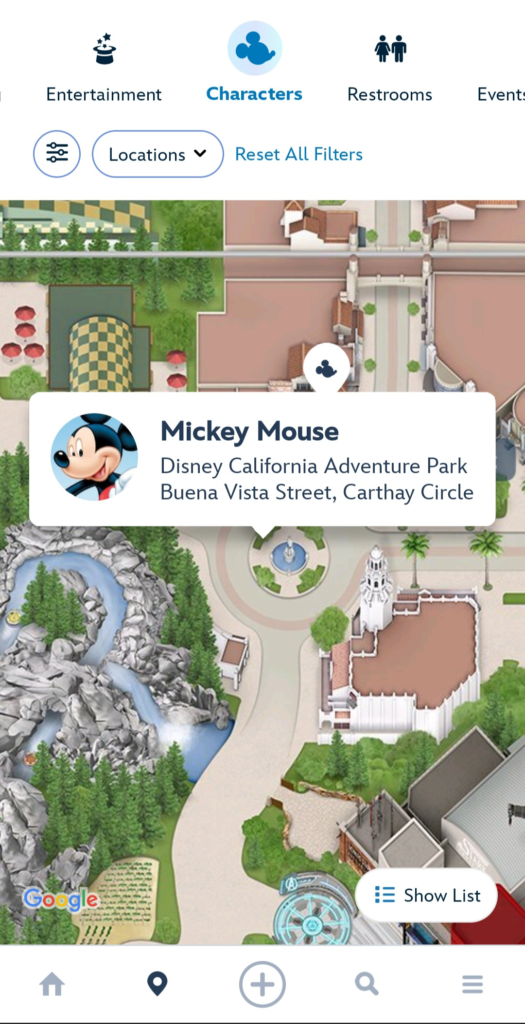
- Look for the Mouse: The map will populate with little Mickey Mouse icons. Tap one to see which friend is at that specific spot!
2. The List View (For the Organizers)
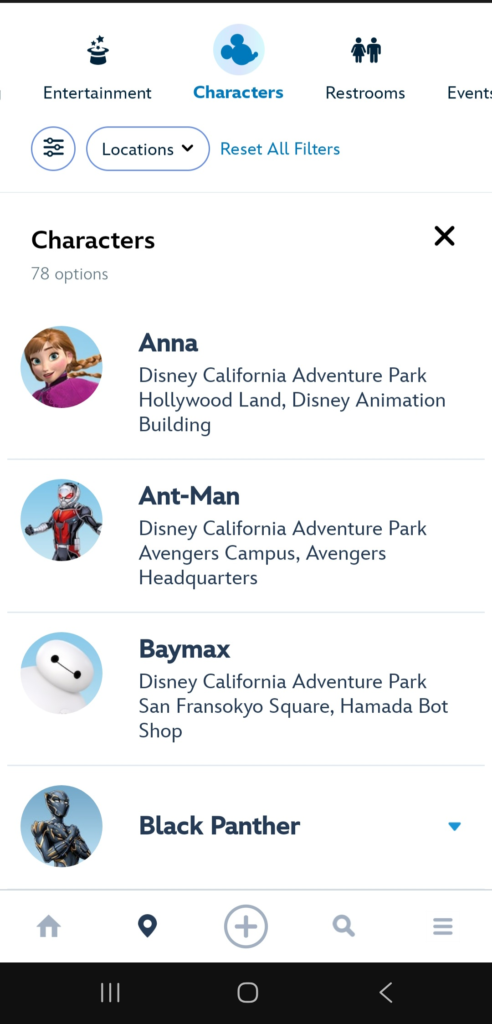
If looking at a map feels like a maze, tap “Show List” in the top right corner.
- This gives you an alphabetical list of every character scheduled for the day.
- Pro Tip: Tap a character’s name to see their exact appearance times. Characters take breaks (usually to grab a churro… or so I tell my kids), so checking the schedule ensures you don’t show up just as they’re heading backstage.
3. Use the Filter
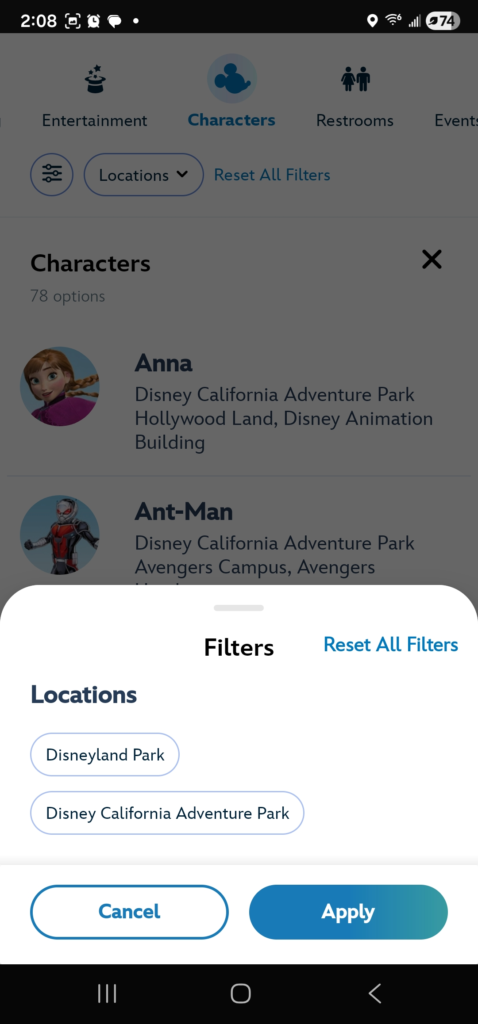
Don’t want to see California Adventure characters while you’re standing in Fantasyland? Tap “Filter” in the top left and select the specific park you’re in to declutter your list.
✨ Pro Tips for Character Seekers
- The “Roaming” Factor: Some characters—especially in Galaxy’s Edge and Avengers Campus—don’t have “set” locations. They wander! If you don’t see Rey or Iron Man on the map, keep your eyes peeled; they often patrol the area rather than standing in a formal line.
- “Ask Me About Characters” Buttons: If you’re stumped, look for a Cast Member wearing a button that says “Ask Me About Characters.” They have the “inside scoop” on the “surprise” guests who might not be listed on the app yet.
- The Early Bird Gets the Hug: Most characters start appearing shortly after park opening and wrap up by late afternoon. If meeting a specific princess is your top priority, check the app the moment you scan into the park.
- The Disney Visa Perk: If you’re a Disney Visa cardholder, search “Visa” in the app. There are often exclusive, shorter-wait character spots just for you!
📸 Don’t Forget the Essentials
Before you run toward that Wookiee, make sure you have:
- Your Camera/Phone (Check your battery!)
- Autograph Book & Pen (A “clickable” Sharpie is a character’s best friend—it’s easier for them to hold with big gloves).
- Your Best Pose!
Check out our other posts about the Disney Character experiences at Disneyland: https://www.mickeyplanning.com/category/in-the-park/characters/